


An office relocation can disrupt business operations through IT downtime, employee coordination issues, vendor delays, and unexpected expenses. Without a clear plan, these issues can affect daily work and increase relocation costs.
A structured office relocation checklist helps businesses organise every stage of the move. Selecting a managed office in Pune can further reduce setup responsibilities with ready-to-use workspaces and integrated facility services.
This guide explains how to prepare for the move, coordinate responsibilities, and check the new workspace before resuming operations.
Quick summary
When relocating to a new office in Pune, businesses need to assess employee headcount, workspace needs, location, budget, and timelines before planning the move. Moving to managed office space in Pune can reduce setup responsibilities through ready-to-use infrastructure and facility services. After the move, businesses should verify workspace readiness, test IT systems, review service charges, and address employee feedback to minimise disruption.
Table of Contents
What should businesses assess before planning an office relocation in Pune?
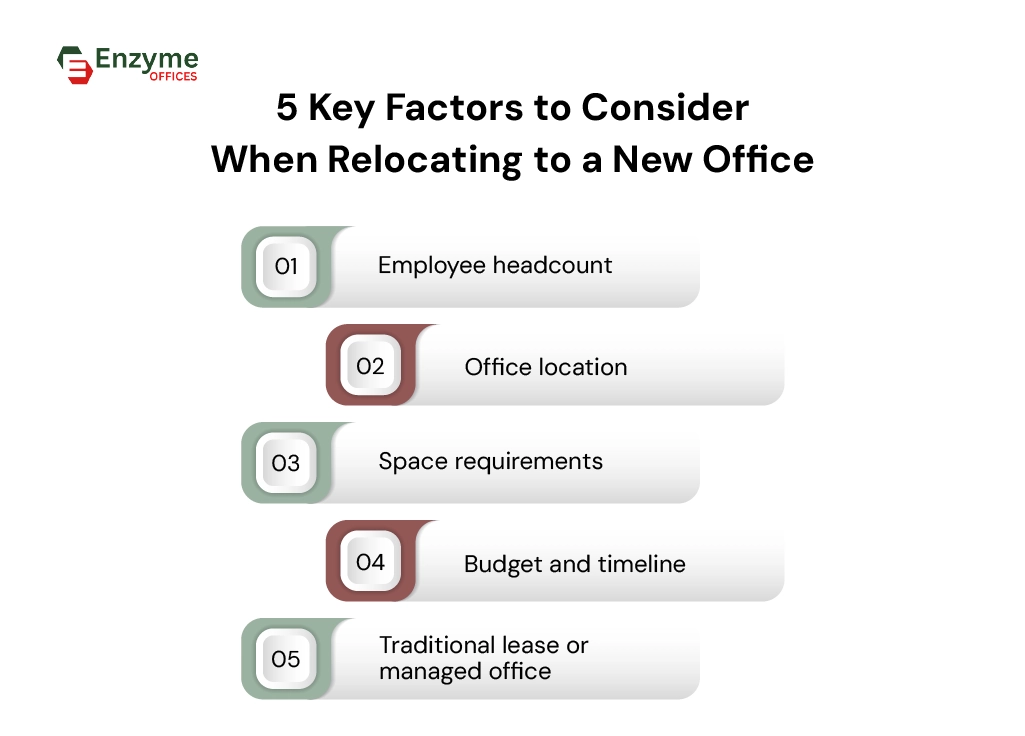
Businesses planning an office relocation in Pune should assess five key factors: employee headcount, location, space requirements, budget and timeline, and workspace type. Comparing traditional leases with managed offices can also help clarify the costs, facilities, and setup responsibilities involved.
Employee Headcount
Count current employees and add the hires you expect over the next 12 to 18 months. If your team follows a hybrid schedule, track how many people are in the office on a typical day. That number, rather than total headcount, determines how many seats you need.
Location
Collect employee home areas and check realistic commute times at peak hours. Then consider client access and travel to key partners. Baner suits teams whose staff and clients are mostly in western Pune, while office space in Viman Nagar suits teams that need quick access to the airport and the eastern business districts.
Space requirements
List workstations, meeting rooms, cabins and collaboration areas separately. Many teams count desks and forget meeting rooms, which creates a shortage within weeks of the move.
CBRE India’s 2025 survey found that 73% of companies intend to focus on physical workplace design to improve the office experience. Consider seating arrangements, meeting rooms, accessibility, and shared spaces when assessing your team’s workspace requirements.
Budget and timeline
Separate one-time costs (moving, deposits, IT setup, fit-out, restoring the old premises) from recurring costs (rent, maintenance, utilities, internet). Add a contingency amount for expenses you cannot predict. Then set a move date that leaves enough time for notice periods and setup.
Traditional lease or managed office
With a traditional lease, your business usually pays for fit-out, furniture, internet setup and maintenance, and commits to a longer term. With a managed office, the provider offers a furnished workspace and manages the facilities. This reduces the setup work your team needs to handle. Check the agreement to see which services are included in the monthly fee and whether there are any additional charges.
Terms differ by provider, so compare what each agreement includes before you decide.
What does an office relocation planning checklist include?
An office relocation checklist should include eight essential areas: lease documentation, budget planning, employee communication, IT infrastructure, furniture and equipment, vendor coordination, compliance and security, and the moving schedule.
Assigning an owner and deadline to each task helps businesses track responsibilities, avoid missed tasks, and keep the relocation on schedule.
| Relocation task | What businesses need to do |
| Lease and documentation | Review the existing lease, notice period, exit clauses, and handover requirements. Check whether the premises must be restored before handover. |
| Budget planning | Include moving costs, deposits, outstanding bills, and additional expenses in the relocation budget. |
| Employee communication | Inform employees about the moving date, new office address, and any changes to work arrangements. |
| IT infrastructure | Plan internet connectivity, network access, hardware installation, and data backups. |
| Furniture and equipment | Identify what to move, replace, store or dispose of. |
| Vendor coordination | Schedule movers, IT teams, utility providers and other service partners. |
| Compliance and security | Review access permissions, safety requirements and essential documentation. |
| Moving schedule | Set deadlines for completing each relocation task. |
How businesses can move to a managed office space in Pune without disrupting operations
Businesses can move to a managed office in Pune with minimal disruption by planning the move in advance, checking that the new workspace is ready, and scheduling IT migration around business operations.
Since managed offices already provide essential infrastructure and facility services, businesses can avoid procuring furniture, arranging fit-outs, and setting up costs and time.
1. Assign responsibilities
The provider typically takes care of workstations, basic internet connectivity, power backup, security, housekeeping, and maintenance. Your team handles moving its own equipment, informing employees, transferring data, arranging software access, and handing back the old office.
Confirm these responsibilities with the provider before moving day.
2. Confirm workspace readiness
Walk through the office with the provider’s team before your employees move in. Confirm that the agreed workstations, meeting rooms, internet connection, power backup, security arrangements, and housekeeping schedule are in place. Document any damage, missing items, or unfinished work, and ask the provider to address them before moving day.
3. Prepare IT infrastructure
Arrange your hardware installation and test the network before employees arrive. Discuss security arrangements with the provider, including who manages Wi-Fi credentials, how guest network access works, and where your network equipment can be installed.
4. Plan employee seating
Assign workstations based on department requirements and keep teams that work closely together near each other. Share the seating plan with employees before moving day so everyone knows where to sit on their first day.
5. Coordinate office handover
Coordinate the handover of your old office with the opening date of the new one. Keeping both spaces available for a short period allows your team to move in phases and address any issues. Factor in the additional rent before deciding how long the overlap should be.
What should businesses check after relocating to a managed office?
After moving in, you should check that the space matches your agreement, your IT and access work for every employee, and the first invoice matches what you signed. Then watch how the provider handles requests over the first few weeks.
They should also track operational downtime and resolve outstanding issues with the provider during the first few weeks.
1. Check the space against your agreement
Look over workstations, meeting rooms, and shared areas for anything missing or different from what the provider promised. Raise it in writing straight away so it doesn’t turn into a dispute later.
2. Test systems and access under real use
A speed test on day one isn’t enough. Check that the internet stays stable at every workstation through a full working day, that every employee’s access card or credentials work, and that your IT equipment connects properly.
3. Verify the first invoice
Compare it with the signed agreement. Confirm what the monthly fee covers, how extra charges are applied, and who pays for maintenance and repairs.
4. Track service requests and open issues
Log each request you raise with the facility team and note how long it takes to resolve. Share your list of pending items with the provider, agree on a date for each fix, and follow up until everything is closed.
5. Ask employees for feedback
Ask about seating comfort, noise, lighting, meeting room availability, and the commute. A short anonymous survey after the first two weeks is more likely to encourage honest feedback.
Final takeaway
An office relocation is a good opportunity to reconsider how your workspace supports the way your business operates. A growing team may need room for additional employees, while a hybrid workforce may benefit from fewer fixed desks and more shared meeting spaces.
Your choice should reflect these requirements rather than simply replace your existing office with a similar setup. Enzyme Offices offers managed workspaces in Pune, including Baner and Viman Nagar, for businesses looking for ready-to-use office spaces.
Get in touch with Enzyme Offices to discuss your team’s requirements and find a workspace that fits your next stage of growth.

Frequently asked questions
1. What should an office relocation checklist include?
An office relocation checklist should include lease documentation, budget planning, employee communication, IT setup, furniture inventory, vendor coordination, security arrangements, and moving schedules. Assign an owner and deadline to each task to track responsibilities and prevent last-minute delays.
2. How long does it take to relocate an office in Pune?
Most small and mid-sized businesses need eight to twelve weeks to relocate an office. The timeline depends on lease notice periods, team size, IT requirements, and workspace readiness. Allow additional time if the new office requires customised interiors or infrastructure.
3. What is a managed office, and what facilities does it include?
A managed office is a ready-to-use workspace where the provider manages essential facilities such as furniture, internet, power backup, security, housekeeping, and maintenance. Businesses can occupy the space without independently coordinating every aspect of office setup and facility management.
4. Is a managed office better than a traditional lease for office relocation?
Yes, a managed office can simplify office relocation through ready-to-use infrastructure, furniture, and facility management services. A traditional lease may suit businesses that need complete control over office design, customisation, and long-term property arrangements.
5. What should I check before signing a managed office agreement in Pune?
Check the available seat capacity, monthly charges, included services, lock-in period, notice period, and expansion options. Also verify internet connectivity, power backup, parking availability, maintenance responsibilities, and additional fees to understand the complete cost of occupancy.
6. How can I minimise business downtime during an office relocation?
You can minimise business downtime by backing up data, scheduling IT installation before moving day, testing network connectivity, and relocating departments in phases. Confirm that workstations, internet access, and employee credentials are ready before your team starts working from the new office.